
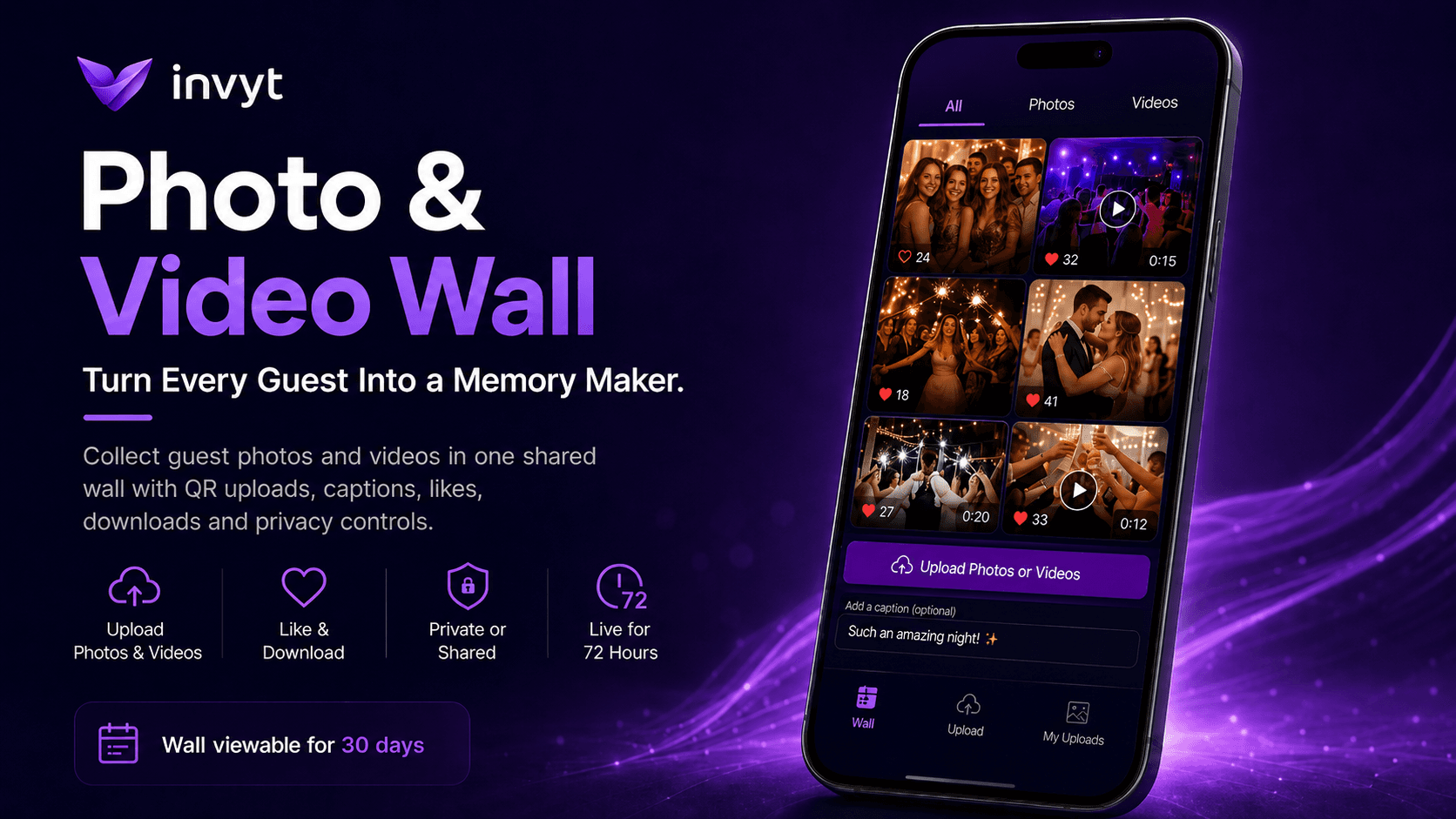
The best moments of an event rarely happen in front of the hired photographer. They happen on the dance floor, around the table, during the speeches, in the quiet conversations, in the unexpected reactions and in the videos your guests capture without thinking twice. Invyt’s Photo & Video Wall gives every guest a simple way to upload those moments in one shared place, so the host does not have to chase people through group chats after the event.
This guide explains how the Invyt Photo & Video Wall works, what guests can do with it, what hosts get when they purchase it, and how to set it up from your event dashboard.
What is the Invyt Photo & Video Wall?
The Invyt Photo & Video Wall is an optional paid feature that gives your guests access to a dedicated upload page for your event. From that page, guests can upload photos and videos, add a short caption, and share the best moments they captured during the celebration.
Instead of memories being scattered across private camera rolls, WhatsApp threads, Instagram stories and forgotten albums, everything is brought together in one event wall. Guests can browse the wall, view photos, watch videos, like videos and download the moments they want to keep.
For videos, the wall includes a TikTok-style scrolling experience, making it easy for guests to move through clips from the event in a natural, familiar way. It turns the event gallery into something guests actually want to explore, not just a folder they open once and forget.
Why a shared photo and video wall matters
Every event has more than one perspective. The host sees one version of the day. The photographer captures another. But guests capture the small, real, spontaneous moments that often become the most meaningful afterwards.
The problem is that those moments are usually difficult to collect. Someone posts a few photos on social media. Someone else sends a blurry video in a group chat. A guest promises to send the good ones later and forgets. By the time the event is over, the host is left trying to piece together memories from a dozen different places.
The Photo & Video Wall solves that problem by giving everyone the same simple upload destination. Guests scan a QR code or open the event link, upload their photos or videos, add a caption if they want to, and contribute to the shared wall while the event is still fresh.
What guests can do on the Photo & Video Wall
Guests get a simple, mobile-first experience designed for quick uploads during and shortly after the event. They can open the Photo & Video Wall from their phone, choose photos or videos from their device, add a brief caption, and upload them directly to the event wall.
Each guest can upload up to five photos and five videos. This keeps the wall focused on the best moments rather than turning it into an unlimited camera dump. Guests are encouraged to share the clips and photos that actually capture the atmosphere of the event.
Once uploaded, guests can browse the wall, watch videos in a smooth scrolling format, like videos, view photos and download videos they want to save. The result is a shared gallery that feels alive during the event and useful afterwards.
How guests access the wall
There are two ways guests can access the Photo & Video Wall, depending on how the host chooses to set it up.
The first option is email access. Guests can use the email address they RSVP’d with to access the wall, upload photos and videos, and make changes to their own uploads.
The second option is Guest PIN access. If the host wants uploads to be protected by a code, they can set a Guest PIN. Guests then enter the code to access the upload page. This is useful for events where the host wants to make sharing simple but still controlled.
Invyt also gives the host a QR code for the Photo & Video Wall. The host can print the QR code and place it on tables, near the entrance, beside the guest book, at the bar, or anywhere guests are likely to notice it. Guests scan the code and go straight to the wall from their phone.
How the host enables the Photo & Video Wall
The host can enable the Photo & Video Wall directly from the event dashboard. The process is simple and designed to be handled before the event begins.
Step 1: Open your event dashboard
After creating your event on Invyt, go to your event dashboard. At the bottom tray, select the Photo & Video Wall option.
Step 2: Complete the one-time purchase
The Photo & Video Wall is available as a one-time purchase for the event. Once purchased, the feature becomes available inside the dashboard for that event.
Step 3: Choose your access settings
After purchase, the host can decide whether guests should access the wall using the email they RSVP’d with or by entering a Guest PIN. If the host wants code-only access, they can set a Guest PIN before the wall goes live.
Step 4: Enable the Photo & Video Wall
Once the settings are ready, select Enable Photo & Video Wall. The wall will automatically become visible to guests on the event date and time.
Step 5: Share or print the QR code
Invyt provides a QR code that takes guests directly to the Photo & Video Wall. Print it and place it around the event so guests can scan, upload and browse without needing instructions from the host.
Start your event invitation on Invyt
When the Photo & Video Wall goes live
The Photo & Video Wall is designed around the timing of the event. It becomes visible to guests on the event date and time, so it is not open too early or disconnected from the actual celebration.
When the wall is live and accessible to guests, the host is notified. That means the host knows exactly when guests can start uploading photos and videos.
Guests can upload during the active upload window, which lasts for three days from activation. This gives guests enough time to share moments during the event, the morning after, or shortly after they have had a chance to look through their camera roll.
Photo & Video Wall settings for hosts
The host has control over how the Photo & Video Wall works. These settings make the feature flexible for different types of events, from weddings and birthdays to corporate events, private parties and community gatherings.
Guest PIN
The Guest PIN is optional. If enabled, guests need the code to access the upload page. This is useful when the host wants to make sure only people at the event can upload content.
If the host does not want to use a Guest PIN, guests can access the wall using the email address they RSVP’d with.
Video Messages
The host can choose whether video uploads are allowed. If video uploads are enabled, guests can record or upload video moments from the event. If the host prefers a photo-only experience, video uploads can be disabled.
Private Wall
The Private Wall setting gives the host control over visibility. If Private Wall is turned off, guests can browse the shared wall and see uploads from other guests.
If Private Wall is turned on, photos and videos are shared only with the host. Guests can still upload their moments, but they will not be able to browse everyone else’s content. This is useful for more private events or situations where the host wants to review and keep uploads without creating a public guest-facing gallery.
Thank-You Message
The host can add a thank-you message that guests see after they upload a photo or video. This gives the upload experience a more personal finish and lets the host acknowledge guests for contributing to the event memories.
What you get when you purchase the Photo & Video Wall
When the host purchases the Invyt Photo & Video Wall for an event, they unlock a complete shared media experience for that event.
The purchase includes a guest upload page for photos and videos, caption support for uploads, guest access through RSVP email or optional Guest PIN, a printable QR code for easy event access, TikTok-style video browsing, video likes, video downloads, host controls for video uploads, a Private Wall option, upload limits per guest, host notification when the wall is live, and access to the wall after the event.
Each guest can upload up to five photos and five videos. The upload window stays open for seventy-two hours from activation, giving guests three days to contribute their best moments.
The wall then remains viewable in read-only mode for thirty days from activation. The host receives a warning email twenty-four hours before the wall expires, giving them time to download and save anything they want to keep.
How long the Photo & Video Wall stays active
The Photo & Video Wall follows a clear timeline.
Uploads are open for seventy-two hours from activation. During this period, guests can upload photos and videos, add captions and contribute to the wall.
After the upload window closes, the wall remains viewable in read-only mode for thirty days from activation. Guests and hosts can still view the wall, but new uploads are no longer accepted.
Twenty-four hours before the wall expires, the host receives a warning email. After the thirty-day period ends, the wall content is deleted and the wall configuration is disabled for that event.
For typical paid Photo & Video Wall events, this means guests can upload for three days, the wall stays available for thirty days, and then the content is removed. Hosts should download the photos and videos they want to keep before the expiry date.
Why the QR code makes a difference
Guests are much more likely to upload when the process is visible and immediate. A QR code on the table is a simple reminder that the wall exists and that guests are invited to contribute.
Place the QR code anywhere guests naturally pause. Tables, welcome signs, bar areas, photo booths, dessert tables and guest book stations all work well. The easier it is to scan, the more likely guests are to upload moments while the event is happening rather than waiting until later.
A simple printed note beside the QR code can help too. Something like: “Scan to upload your photos and videos from tonight” is often enough.
Best events for the Photo & Video Wall
The Photo & Video Wall works especially well for events where guests are already taking photos and videos throughout the day.
Weddings
Wedding guests capture moments the couple may never see otherwise: reactions during the ceremony, behind-the-scenes clips, dance floor videos, table selfies and late-night memories. A shared wall gives those moments a home.
Birthdays
For milestone birthdays, surprise parties and family celebrations, the wall helps collect candid moments from every guest’s point of view.
Corporate events
For office parties, launches, conferences and team celebrations, the Photo & Video Wall gives attendees a way to share event highlights while keeping everything connected to the event itself.
Graduations and school events
Graduations, proms and school celebrations produce hundreds of photos across different families and friend groups. A shared upload page makes it easier to collect the best ones in one place.
Community gatherings
For clubs, fundraisers, religious celebrations and neighbourhood events, the wall helps preserve the collective memory of the occasion.
Why it is better than asking guests to send photos later
Asking guests to send photos after an event sounds simple, but it rarely works well. People forget, files get compressed in messaging apps, videos are too large to send, and the host ends up chasing everyone individually.
The Invyt Photo & Video Wall removes that friction. Guests have one place to upload, one QR code to scan, and one shared wall to browse. The host gets a cleaner, more organised collection of event memories without managing a separate folder, spreadsheet or group chat.
It also makes the experience more enjoyable for guests. They are not just sending media privately to the host. They are contributing to a living event wall that other guests can browse, enjoy and interact with, unless the host chooses to keep the wall private.
Create an event with a Photo & Video Wall
Frequently asked questions
What is the Invyt Photo & Video Wall?
The Invyt Photo & Video Wall is a paid event feature that lets guests upload photos and videos to a shared event wall. Guests can add captions, browse uploads, watch videos in a scrolling format, like videos and download videos.
How do guests upload photos and videos?
Guests open the Photo & Video Wall from the event link or by scanning the QR code provided by Invyt. They can then upload photos or videos from their phone, add a brief caption and submit them to the wall.
Do guests need an app to use the Photo & Video Wall?
No. Guests can access the Photo & Video Wall from their browser. They do not need to download an app to upload, browse or view the wall.
How many photos and videos can each guest upload?
Each guest can upload up to five photos and five videos. This helps keep the wall focused on the best moments from the event.
Can the host control who uploads?
Yes. The host can allow guests to access the wall using the email address they RSVP’d with, or they can set a Guest PIN so guests need a code to upload.
Can the host turn off video uploads?
Yes. The host can enable or disable video uploads from the Photo & Video Wall settings.
Can guests see each other’s uploads?
Yes, if the shared wall is visible to guests. If the host turns on Private Wall, uploads are shared only with the host and guests will not be able to browse everyone else’s photos and videos.
When does the Photo & Video Wall become available?
The Photo & Video Wall becomes visible to guests on the event date and time. The host is notified when the wall is live and accessible.
How long can guests upload photos and videos?
Guests can upload photos and videos for seventy-two hours from activation. After that, uploads close and the wall becomes read-only.
How long does the wall stay viewable?
The wall stays viewable for thirty days from activation. The host receives a warning email twenty-four hours before the wall expires.
What happens after thirty days?
For a typical paid Photo & Video Wall, the wall content is deleted after the thirty-day viewing period ends and the wall configuration is disabled. Hosts should download the photos and videos they want to keep before expiry.
Does Invyt provide a QR code for the Photo & Video Wall?
Yes. Invyt provides a QR code that the host can print and place around the event so guests can scan it and access the Photo & Video Wall quickly.
Turn guest moments into shared memories
Your guests are already taking photos and videos. The only question is whether those moments stay scattered across camera rolls or become part of the event experience.
The Invyt Photo & Video Wall gives every guest a simple way to contribute, browse, like and download the best moments from the event. The host gets control over access, video uploads and privacy, plus a QR code that makes sharing effortless on the day.
From the first scan to the final download, the Photo & Video Wall turns your event into a shared collection of memories your guests help create.