
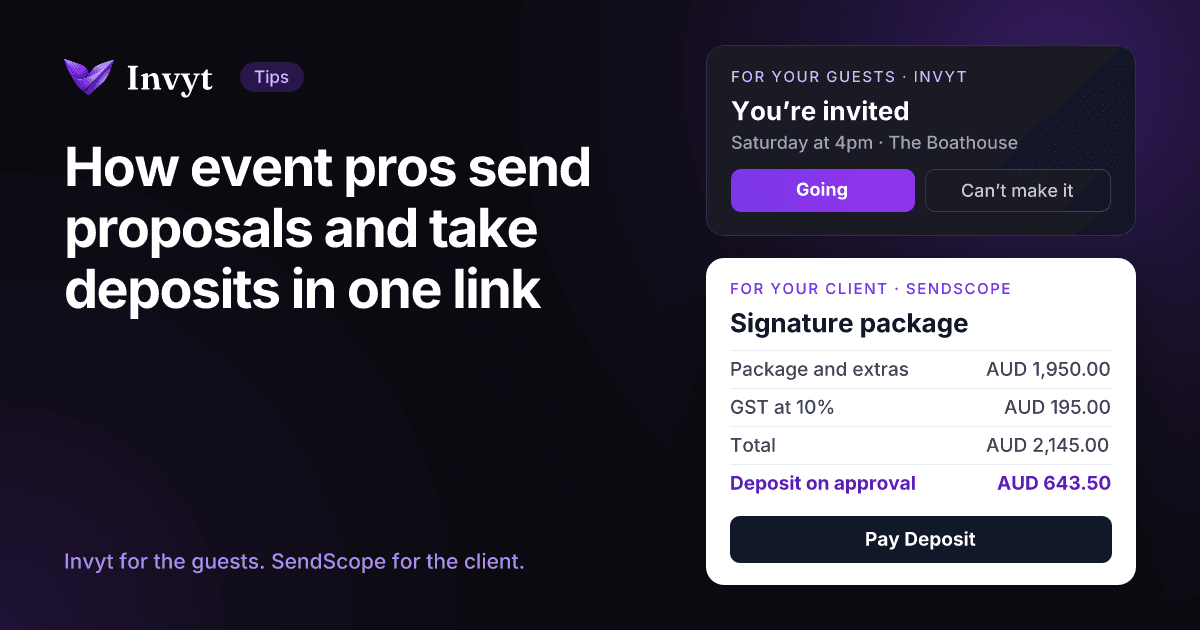
Invyt solved the guest side of an event: you share one link and your guests RSVP themselves. If you make events happen for other people, though, there is a second conversation running alongside the guest list. It is the one with your client, about what they are buying, what it costs and when they pay. That side still runs on PDF quotes, email threads and “can you send through your bank details?” This guide shows how event professionals use SendScope to put the proposal, the invoice and the deposit behind one link, and where it fits next to Invyt.
The short version
- Invyt is for your guests: invitations, RSVPs, dietary requirements, plus ones, ticket and gift payments, check in and the photo wall.
- SendScope is for your client: one link carrying your packages, your terms, an invoice, and the deposit and balance payments.
- The client picks a package and approves on the page, with no account and no login. An invoice is created on approval and the deposit is paid on the same page.
- Clients pay by card into your own Stripe account, or by bank transfer, BPAY or PayID when you offer them on that deal.
- Free for your first 3 deals, then AUD 19.99 a month, with a 14-day free trial.
In this guide
- Guests and clients need different links
- Who this is for
- Where event bookings stall
- How SendScope works for an event business
- A worked example: an on the day coordinator
- Using Invyt and SendScope together
- Which tool for which job
- What SendScope does not do
- Why it suits Australian event businesses
- What it costs
- Frequently asked questions
Guests and clients need different links
An event has two audiences, and they want different things from you.
Your guests want to know where to be, when, and whether they can bring someone. They should never have to create an account to tell you. That is what an Invyt invitation does: one link, a one tap RSVP with no app and no account, dietary notes and plus ones collected as people reply, and payments when the event is ticketed or guests are chipping in.
Your client wants something else entirely. They are comparing you with two or three other quotes, deciding which package fits, checking what is and is not included, and working out what they have to pay to lock in the date. They need a proposal they can say yes to, and a way to pay the deposit the moment they do.
| Invyt | SendScope | |
|---|---|---|
| Who opens the link | Your guests, often hundreds of them | Your client, usually one person or one company |
| What they do there | RSVP, add dietary notes and plus ones, buy a ticket or contribute | Pick a package, approve the scope and terms, pay the deposit and later the balance |
| Where the money goes | To the event host | To you, through your own Stripe account or by bank transfer |
| What you get back | A live guest list you can export for seating and catering | A dated record of what the client approved, an invoice and the payment |
| Account needed to respond | No | No |
Most event businesses need both. The rest of this guide is about the second one.
Who this is for
SendScope suits anyone who quotes a client before an event and wants a deposit before committing to it:
- Wedding and event planners, including on the day coordinators
- Photographers and videographers
- Stylists, florists and hire companies
- Celebrants, MCs, DJs and musicians
- Caterers, and venues quoting private functions
- Agencies running conferences, launches and client dinners for a company
If you charge a set price to lots of guests, such as a workshop, a gala ticket or a group trip, you are selling tickets rather than quoting a client. Invyt’s ticket pricing is the better fit for that, and we come back to it below.
Where event bookings stall
Most event professionals will recognise this sequence:
- A couple or a company enquires about a date. You reply with a PDF quote showing three packages.
- They forward the PDF to a partner, a manager or a parent. A week later someone replies, “we’ll go with the middle one, plus the extra hour.”
- You build an invoice by hand to match, then send your bank details in a separate email.
- The deposit arrives eventually, or it does not, and in the meantime the date is either held on a promise or lost to someone else.
- Months later, someone asks whether the second shooter or the extra hour was included, and the answer is buried in an email thread.
None of these steps is hard. The problem is that they are spread across four documents and three conversations, so the client’s yes, the price and the payment are never in the same place at the same time. Every handover between them is a chance for the booking to go cold.
How SendScope works for an event business
SendScope puts the proposal, the invoice and the payment behind one link. Here is how an event professional uses it, from enquiry to final payment.
1. Start from an event template
Pick a template close to what you sell and edit it, rather than starting from a blank page. There are free public templates for full wedding planning, on the day coordination, wedding photography, event photography and wedding videography, with the rest in the events and weddings collection. Each one previews what your client will see. Any deal you send can also be saved as your own template for next time.
2. Set out your packages and extras
Offer your packages side by side, say Essentials, Signature and Complete, and let the client choose one. Anything outside the packages goes on as a one off line item, such as an extra hour of coverage or travel to a regional venue. The client sees exactly what each package includes before they choose, which settles most “was that included?” conversations before they start.
3. Set the deposit, GST and how you get paid
Choose the deposit as a percentage of the total. It defaults to 30 percent and can be anything up to full payment upfront. Add GST at 10 percent, or any rate you need, and it shows as its own line on the invoice. Then choose how this client can pay: by card through your own Stripe account and, if you want, by bank transfer, BPAY, PayID or your own instructions. You choose per deal, so a corporate client who pays by transfer and a couple who prefer a card can each get the right options.
4. Add your terms and an expiry date
Your terms go on the deal: what the deposit secures, your cancellation and postponement policy, and when the balance is owed. Templates start you off with terms you can edit, and you can save your own as the default for every deal. SendScope does not draft contracts or give legal advice, so have a professional look over your terms if you are unsure. Then set the date the proposal expires, so a held date does not stay held forever.
5. Send one link
Send the link by email, by text or however you normally talk to the client. They do not need an account or a login. You can see whether they have opened it, and your own visits and link previews do not count, so “opened” means the client opened it.
6. The client approves and pays the deposit
The client picks a package and approves. If you require it, or the deal is high value, they confirm with a code sent to their email, so the approval is tied to their address. An invoice is created the moment they approve, and they pay the deposit on the same page with a button that reads Pay Deposit. You both keep a dated record of exactly what was shown and accepted, including the full terms.
7. Collect the balance after the event
When the work is delivered, you mark it delivered and the client pays the balance on the same link, with Pay Balance. There is no second link to send. If they pay by bank transfer, BPAY or PayID, they mark it as paid and you confirm it against your statement.
A worked example: an on the day coordinator
Say you are an on the day wedding coordinator. The figures below are an example to show how the arithmetic works, not a price guide.
| Package | What is included | Price ex GST |
|---|---|---|
| Essentials | Handover meeting in the final month, run sheet, 8 hours on the day | AUD 1,400 |
| Signature | Everything in Essentials, plus the rehearsal and 10 hours on the day | AUD 1,800 |
| Complete | Everything in Signature, plus an assistant and vendor confirmations | AUD 2,400 |
The couple picks Signature. You have agreed one extra: an additional hour at the end of the night for AUD 150. GST at 10 percent is added, and the deposit is 30 percent of the total.
| Signature package | AUD 1,800.00 |
| Extra hour | AUD 150.00 |
| GST at 10% | AUD 195.00 |
| Total | AUD 2,145.00 |
| Deposit on approval (30%) | AUD 643.50 |
| Balance after the wedding | AUD 1,501.50 |
The couple sees all three packages, chooses one, reads your terms and pays AUD 643.50 to lock in the date, without leaving the page. The AUD 1,501.50 balance waits on the same link until you mark the work delivered.
Using Invyt and SendScope together
The two tools meet at the booking. Here is how that plays out for three kinds of event business.
Wedding vendors
When a couple enquires, reply with a SendScope link carrying your packages instead of a PDF, and treat the date as yours once the deposit lands. The couple can run their own guest side through an Invyt wedding website, which takes the RSVPs before the day, becomes a live photo wall during it and turns into a memory book after it. The guests get one link, your booking has another, and after the wedding the balance is paid on the same link you sent at the start. There is more on that for photographers and videographers on the SendScope site.
Planners and coordinators
A planner often handles both conversations. The client approves your planning package and pays the deposit through SendScope. The guest side then runs through an Invyt wedding RSVP website or invitation, so RSVPs, plus ones and dietary requirements arrive in one place and you can export the guest list for seating and catering. On the day, Invyt handles QR code check in and the live photo wall. SendScope has a page written for wedding planners if you want the detail.
Corporate event agencies
If you run conferences, launches or client dinners for a company, the company is your client and its staff and guests are your attendees. Quote the company through SendScope, with GST on its own line and their purchase order number in the project name, so it prints on the invoice. Then run the event page and RSVPs through an Invyt corporate workspace, with its own branding and subdomain. For the invitations themselves, Invyt has 25 corporate wording templates to start from.
Which tool for which job
- Many guests paying the same amount, such as tickets for a workshop, a gala or a group trip: use Invyt’s ticket pricing, or a gift fund when contributions are optional. SendScope is not built for selling to a crowd.
- One client paying you for a service, with options, terms and a deposit: use SendScope.
- An event you deliver for a client, with guests of its own: use both. SendScope for the client and the money, Invyt for the guests.
What SendScope does not do
Better to know this before you start than after.
- It is not a booking calendar. It does not hold dates or show your availability, so your calendar stays where it is.
- It is not an electronic signature service. An approval is a dated record of acceptance of exactly what the client was shown, with the full terms. It is not legal advice, and if you need a signed contract, that sits alongside the deal.
- It takes a deposit and a balance, not a schedule of instalments. If you take three payments, such as a deposit, a second payment a few months out and a final payment, the extra payment needs a second deal page.
- It does not chase late payments for you. There are no automatic overdue reminders today, so the follow up is still yours.
- It is not a CRM. There is no pipeline or client messaging, so enquiries and conversations stay in your inbox.
- It does not print your ABN or a “tax invoice” heading. The invoice is headed INVOICE either way. If a business client needs your ABN, put it in your terms, and check what your GST registered clients need from an invoice.
Why it suits Australian event businesses
SendScope defaults to Australian dollars and treats GST as its own line on the invoice. Clients can pay by card, and you can also offer BPAY and PayID, the two ways many Australians already pay their bills and each other.
It also matters which tools you can use at all. HoneyBook, a popular choice for event businesses in the US, was not available in Australia, New Zealand, the United Kingdom or the EU when SendScope last checked on 1 September 2026. The full comparison is in SendScope’s guide to HoneyBook alternatives. Outside Australia, SendScope works in any currency Stripe supports, with tax at whatever rate you need.
What it costs
SendScope is free for your first 3 deals. That is 3 deals in total, not 3 a month. After that, Pro is AUD 19.99 a month, and it starts with a 14-day free trial. Pro deals carry your own branding, while free deals show a small SendScope footer. Card payments go through your own Stripe account, so Stripe’s standard processing fees apply there.
Frequently asked questions
Is SendScope part of Invyt?
No. SendScope is a separate product with its own sign in. You can use either one without the other.
Do my clients need an account to approve or pay?
No. Your client opens the link, chooses a package, approves and pays without creating an account or logging in.
Can I take a deposit to hold an event date?
Yes. Set the deposit as any percentage of the total, up to full payment upfront. It defaults to 30 percent, and the client pays it on the same page as soon as they approve.
Can clients pay by bank transfer instead of card?
Yes, if you offer it on that deal. Alongside card payments through your own Stripe account, you can offer bank transfer, BPAY, PayID or your own instructions. The client marks the payment as made, and you confirm it when it reaches your account.
Is approving a SendScope proposal the same as signing a contract?
Not exactly. Approval creates a dated record of exactly what the client was shown and accepted, including your complete terms, and both of you keep it. SendScope is not an electronic signature service and does not give legal advice, so if your business needs a signed contract, use one alongside the deal.
Can my guests pay for tickets through SendScope?
No. SendScope is for quoting one client. For tickets or guest contributions, use Invyt, where payments are built into the RSVP.
Does SendScope work outside Australia?
Yes. It defaults to Australian dollars, and it works in any currency Stripe supports, with tax set at whatever rate you need.
How much does SendScope cost?
Your first 3 deals are free, and that is 3 in total rather than 3 a month. After that, Pro is AUD 19.99 a month, with a 14-day free trial.
The bottom line
Invyt takes care of everyone coming to the event. SendScope takes care of the person paying you to make it happen: one link where they choose a package, accept your terms and pay the deposit, with the balance waiting on the same page. If your bookings currently live across a PDF, an invoice and an email thread, put your next quote on one link and see how it changes the conversation.
Send your next event quote as one link. Start from an event template, set your deposit and send it today. Your first 3 deals are free. Try SendScope free, or browse event templates.